You think of everything.From now on, not alone.
Appointments, forms, gifts, prescriptions. In most families all of it sits in one person's head. Famili gets it out of there and puts it where everyone can see it.
What one head is holding on an ordinary Tuesday
What mental load actually is
Mental load is the thinking behind family life: planning, remembering, coordinating, following up. It never shows up in a calendar and it still costs energy every day. Usually one person's.
The weight is not the doing. It is the remembering.
Nobody can take over what was never written down.
Visibility shares work better than any conversation about fairness.
The problem is not chaos. It is distribution.
It all lands with you, because nobody else is tracking it.
Your partner cannot see work that was never on a list.
Explaining a task takes longer than doing it yourself.
Out of your head, into a shared place
Four areas where invisible work turns into something everyone can see.
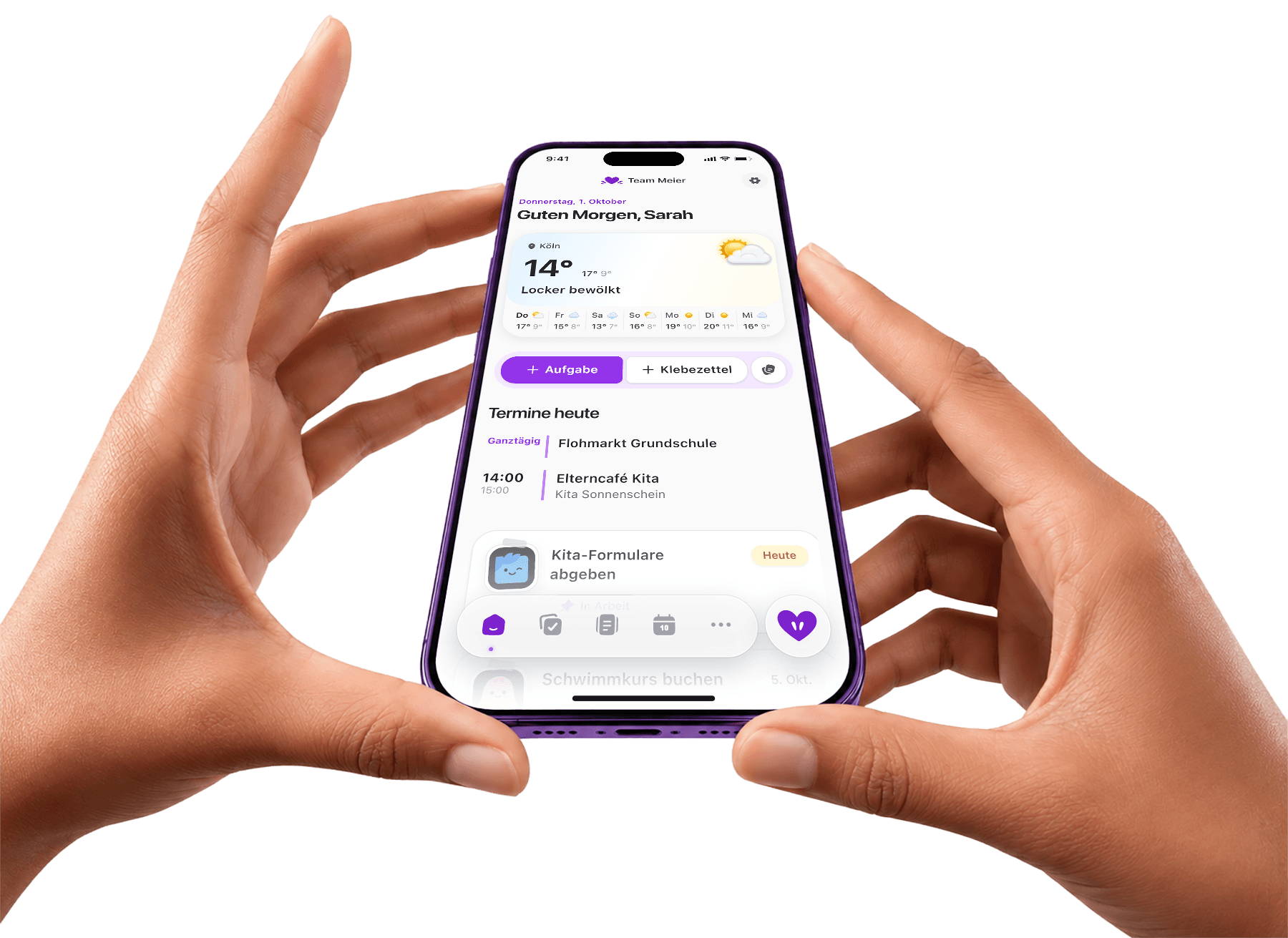

One day everyone can see
- Weather, appointments, and tasks in one view
- Your partner starts the day informed too
- No more morning briefing from you

Ownership comes with the task
- Every task carries a name, not just an expectation
- Recurring work keeps running on its own
- What is still open is visible without asking
One calendar instead of four heads
- School, daycare, doctors, and family logistics in one place
- Context sits on the event, not in your memory
- Everyone sees changes right away
 Connect your existing Google calendars and they all come together in one shared family calendar.
Findable, even without you
- Numbers for school, the practice, and the club, shared
- Forms and certificates within reach
- Less searching when things get urgent
What pops into your head doesn't have to stay there.
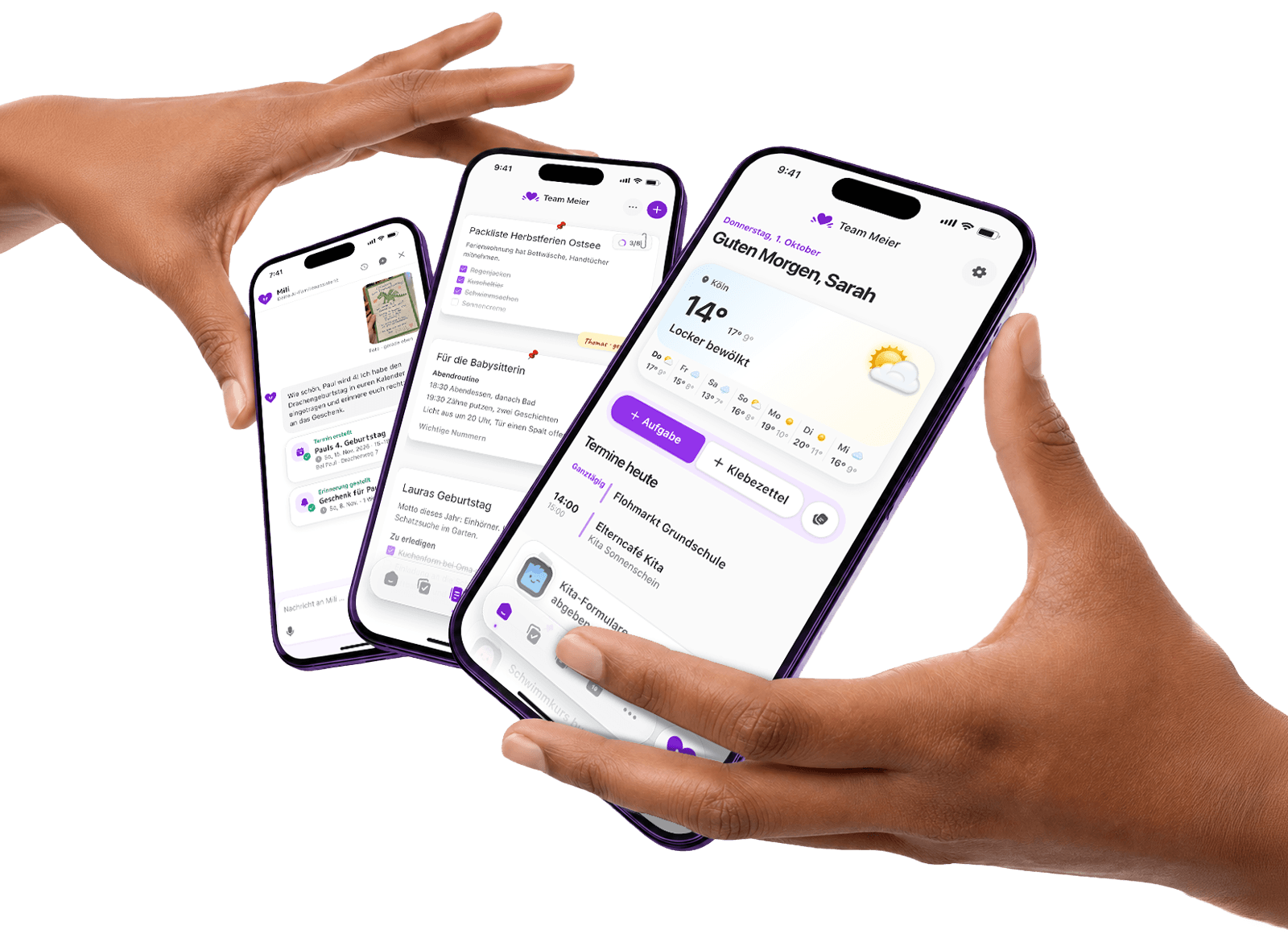
The thought arrives at the daycare door or in the supermarket. Tell Mili, the AI assistant in Famili, and it's in the shared calendar with a name on it. Then you don't have to remember it or pass it on.
- Add things in one sentence, by text or voice.
- Ownership included: “Thomas does it” is enough.
- Look it up instead of asking around: Mili finds events, numbers and notes.
Mili
Your AI family assistant
Dentist for Mia next Tuesday at 3pm
Done.
Event added
Dentist Mia
Tue, 3:00 to 4:00 PM
Mia
When's the next parents' evening?
Thursday at 7:30 PM at Park Primary.
Sharing is not delegating
When both of you see the same overview, the work distributes itself.
- The widget shows the day before anyone opens the app.
- Reminders go to the family, not only to you.
- Whoever picks something up ticks it off for everyone.

Three steps to get it out of your head
Half an hour up front. After that it largely carries itself.
Write down what keeps coming back
The appointments, reminders, and to-dos that return every week and that only you have been tracking.
Bring the family in
One link, and your partner sees the same week you do, without you explaining it.
Hand out ownership
Names on the tasks, context on the events. After that nobody has to come back to you.
Start free. Go Plus when you want more.
Famili
Free, forever
The first 14 days with everything in Famili Plus. After that, Famili’s core features stay free.
Or €49.99 a year. One price for your shared family space, not per adult or child.
Unlimited Mili
Your AI family assistant: ask questions, add appointments or photograph school letters. Mili helps you think ahead, as often as you like.
Famili inbox
Forward parent letters, daycare emails and invitations to your Famili address. Mili turns them into appointments, tasks and reminders for you.
Your morning briefing
Every morning, Mili sums up your appointments and tasks. In Famili and by email, you’ll know what matters today.
Calendar subscriptions
Subscribe to calendars from Schulmanager, school or clubs. New events and changes arrive in your family calendar automatically.
Google Calendar sync
Connect your Google calendars to Famili. Appointments and changes stay in sync both ways, without entering them twice.
Kitchen Mode
Turn a tablet into your family board: appointments, tasks and weather at a glance, for everyone at home.
No ads, no data selling
Famili earns from Famili Plus, not from your data. No ad profile and no sharing with third parties, on the free plan too.
You have carried it alone long enough.
Get it out of your head.
Start free, invite your family, and share the same overview from today.
Common questions about mental load
Can an app really change the imbalance?
An app does not fix a relationship dynamic. It does make visible what was invisible. When your partner sees the whole list for the first time, that often shifts more than another conversation.
What if my partner will not join?
Start for yourself. Calendar, tasks, and documents in one place take weight off even alone. In practice the rest of the family joins once the shared space exists and holds something they need.
How is this different from a shared calendar?
A calendar shows appointments. Mental load is also tasks, reminders, contacts, and paperwork. Famili keeps them together, so the context sits with the thing instead of with you.
How do I start without making more work for myself?
Take a single week. Enter what is happening in those seven days and invite the family. Everything else gets added as it comes up.
Is Famili only for couples?
No. Single parents, separated parents, grandparents, and babysitters can see the same areas. You decide who belongs to the family and what they see.
What happens to our data?
Famili is built in Germany and runs on servers in Frankfurt. Family data is never sold and never used for advertising.
Keep reading
ADHD in family life, co-parenting, and sharing care work fairly.
Co-parenting, calmly organized
Looking for a calmer way to co-parent? Famili keeps appointments, tasks, reminders, contacts, and documents in one shared family space that both households can see.
Explore topicOrganize blended family life
Organize blended family life across homes. Famili connects children who belong in both family spaces, while each household keeps its own routines.
Explore topicShare care work visibly
Want to make care work in your family visible and share it more fairly? Famili keeps tasks, reminders, the family calendar, contacts, and documents in one shared family space.
Explore topic