
Get Famili on your iPhoneand share the family load
Calendar, tasks, reminders, documents and contacts for the whole family. On your iPhone and in the browser, always in sync.
 Soon onGoogle Play
Free, with 14 days of Famili Plus to start. No credit card, no automatic renewal.
Start in the browser instead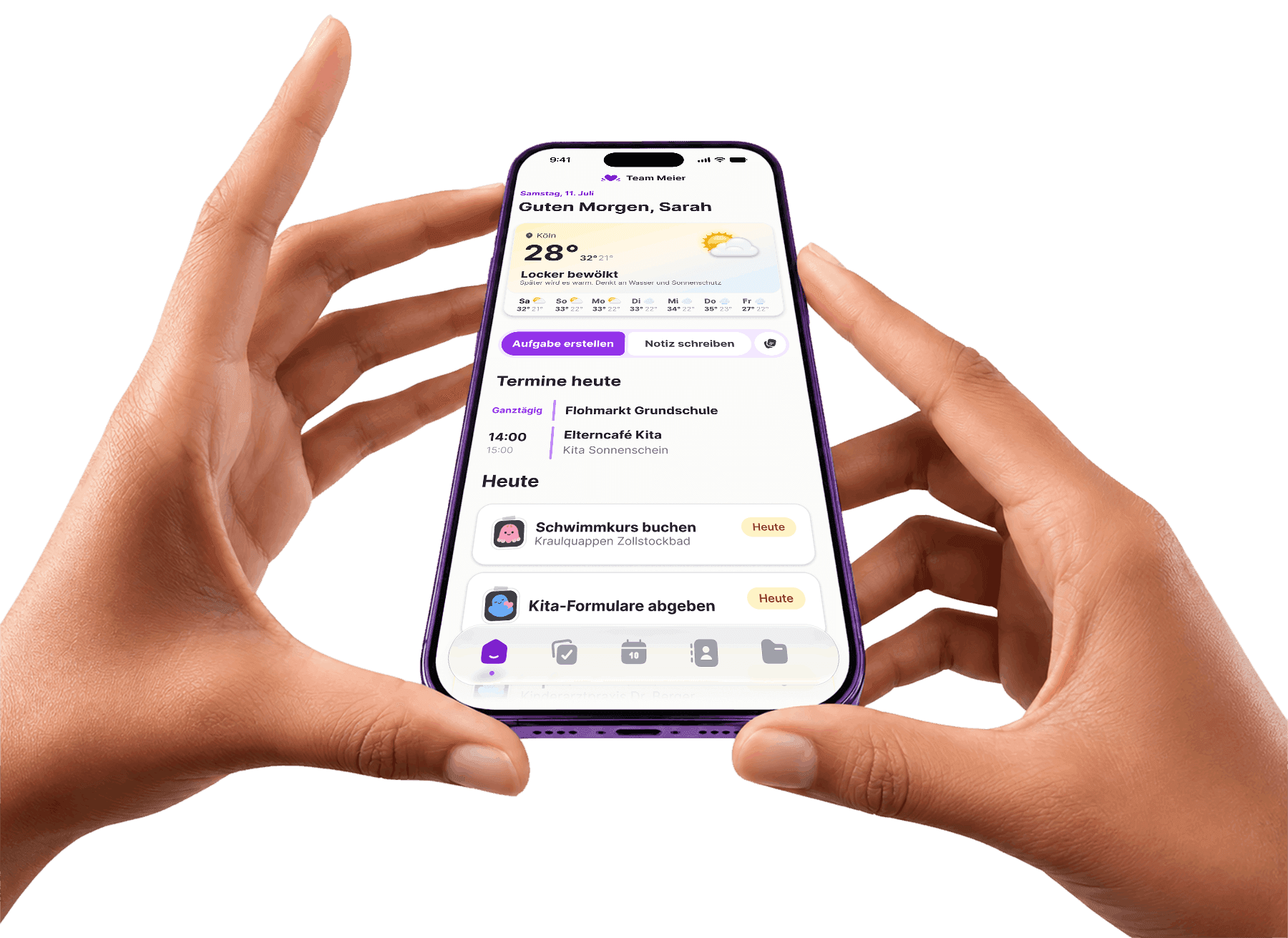
Everything family life needs
The app is not a stripped-down companion: calendar, tasks, documents and contacts all work in full while you are out and about.

What actually needs attention today
- Important tasks and reminders in context
- A calm overview instead of an overloaded list
- A smart summary of the day ahead

Clear ownership for the work that usually runs in the background
- Responsibility made explicit instead of silently assumed
- Smart reminders for check-ups and the like
- Recurring reminders, for example for dentist appointments
Appointments with family context instead of empty time blocks
- School, daycare, doctor visits, and daily life in one calendar
- Useful context attached to the event itself
- Enough calm to plan the next week well
 Connect your existing Google calendars and they all come together in one shared family calendar.
Important information exactly when you need it
- Documents stored in family context, not personal folders
- Import contacts from your phone and share them across the family
- Less searching, less repeated asking
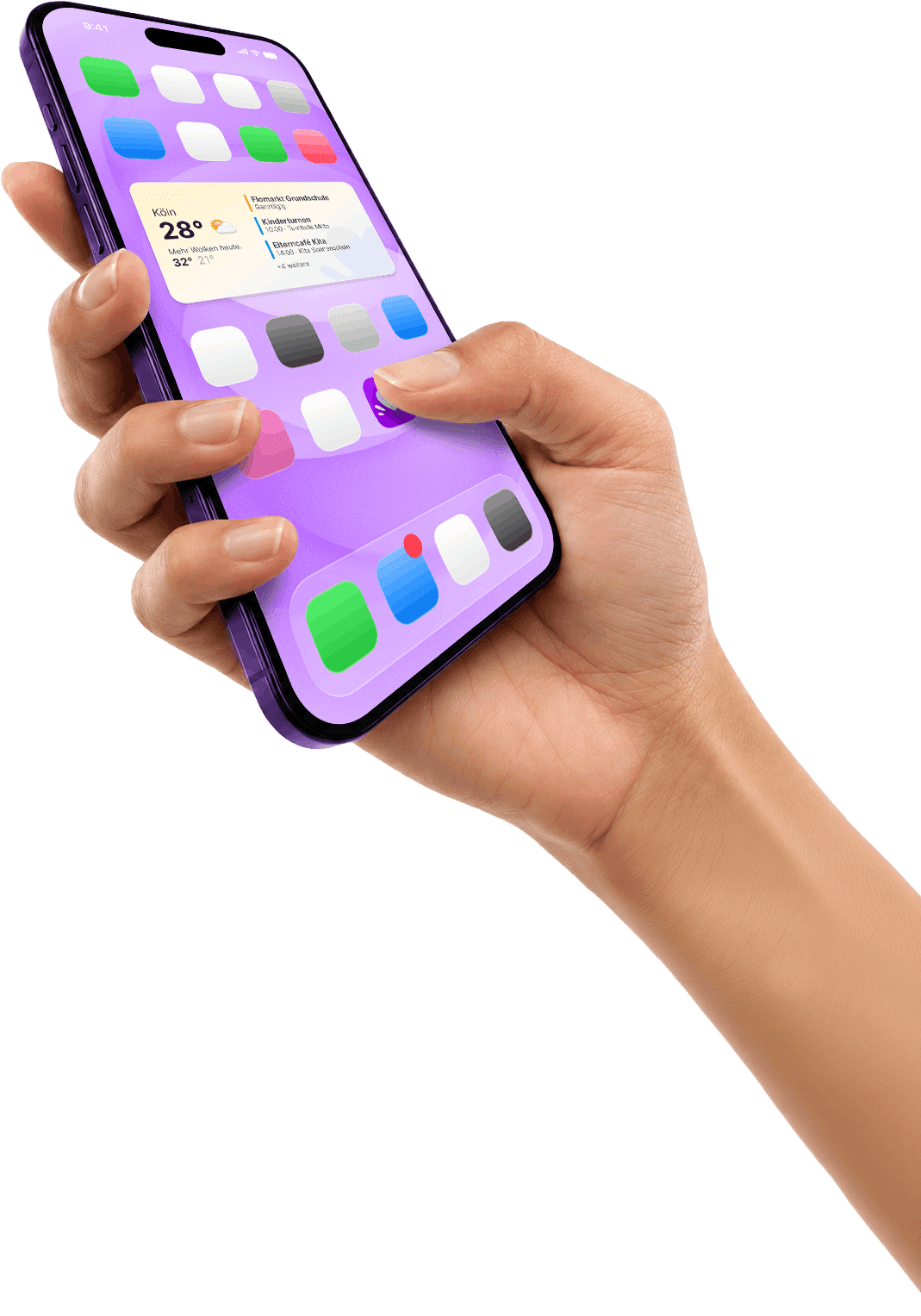
Your day on the home screen
Famili ships a widget: the weather plus today's appointments, tasks and reminders, right on your home screen. You see what is coming without opening the app.
- Weather and today's high in the left column
- Appointments, tasks and reminders for today, right beside it
- Tapping an entry opens it straight in the app
Famili runs wherever you are
Works without the app
Famili runs fully in the browser, on desktop and mobile. Same data, same state.
Famili for Android
Find the current download and installation help on our Android page. Famili also works fully in the browser.
See the Android versionFamily life fits in a pocket.
Get Famili on your iPhone
One account for the whole family. Download the app and set your family up in a few minutes.
Soon onGoogle Play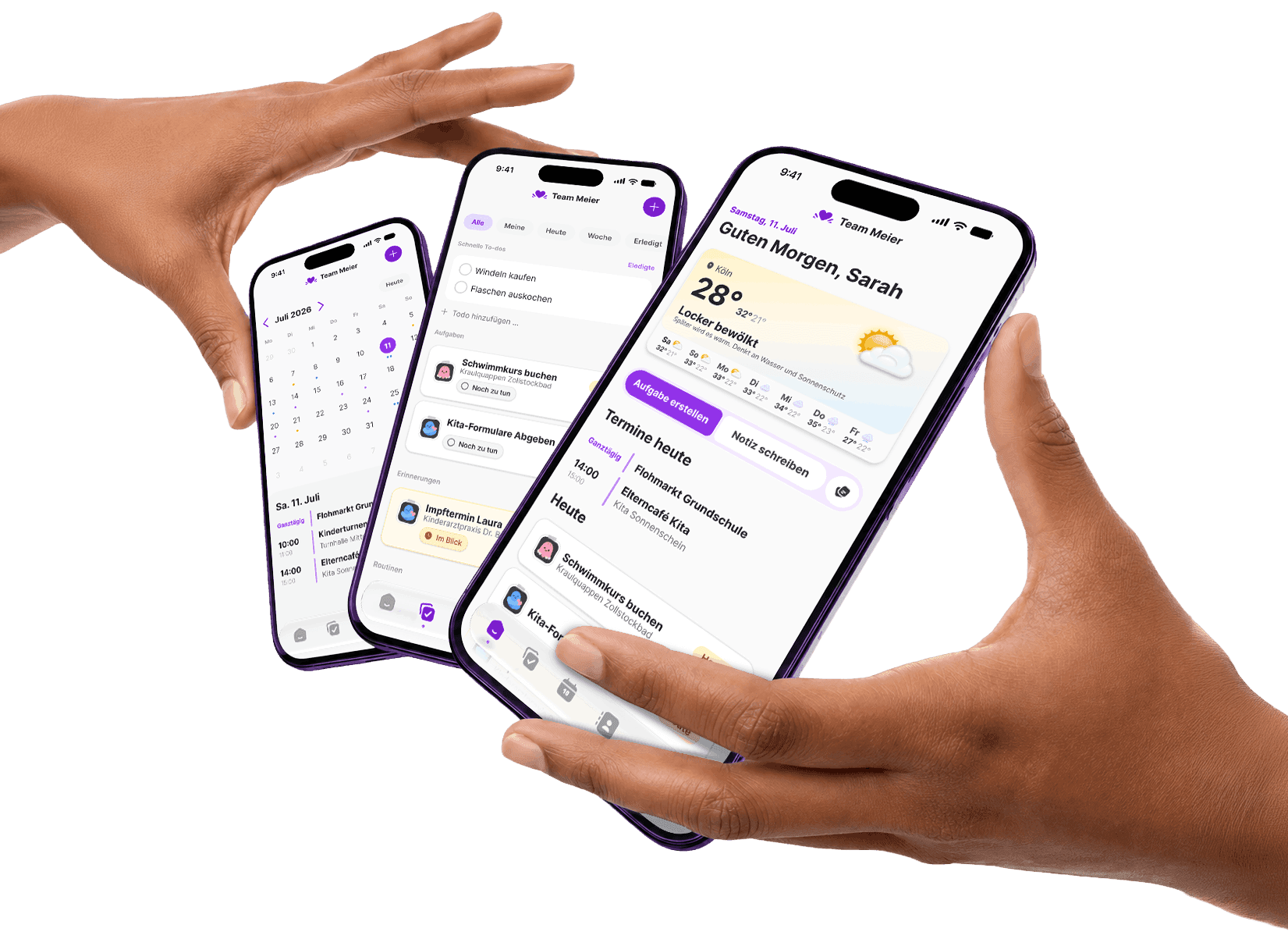
Frequently asked questions
Is there a Famili app for Android?
Visit famili.one/en/download/android for the current Android download and installation help. If no version is available yet, you can use all of Famili in the browser.
Do I need the app?
No. Famili works fully in the browser. The app adds camera upload for documents and a home screen widget. Kitchen Mode, on the other hand, is browser-only for now.
What does Famili cost?
Famili is free, forever. Famili Plus is €5.99 a month or €49.99 a year per family and adds unlimited Mili, briefings, Google Calendar sync and subscribed calendars. Your first 14 days include Plus for free, no credit card.
Are app and browser in sync?
Yes. Both use the same family. Anything entered on the iPhone shows up straight away in the browser and in Kitchen Mode.